logoHoverGPT

Summon a ghostwritereverywhere you type

Stop tab-switching to ChatGPT and Claude.

Sound Smart
Sound Smart
Go Viral
Go Viral
🪄Editor in Keyboard
Editor in Keyboard

Loved by users

“

No one tells you that LinkedIn growth = writing comments on other people’s posts every day. Hover cuts that down to minutes while actually growing the business.

George Yan
George YanPresident at Hankow Food Inc.

How it works

AI that writes where you write

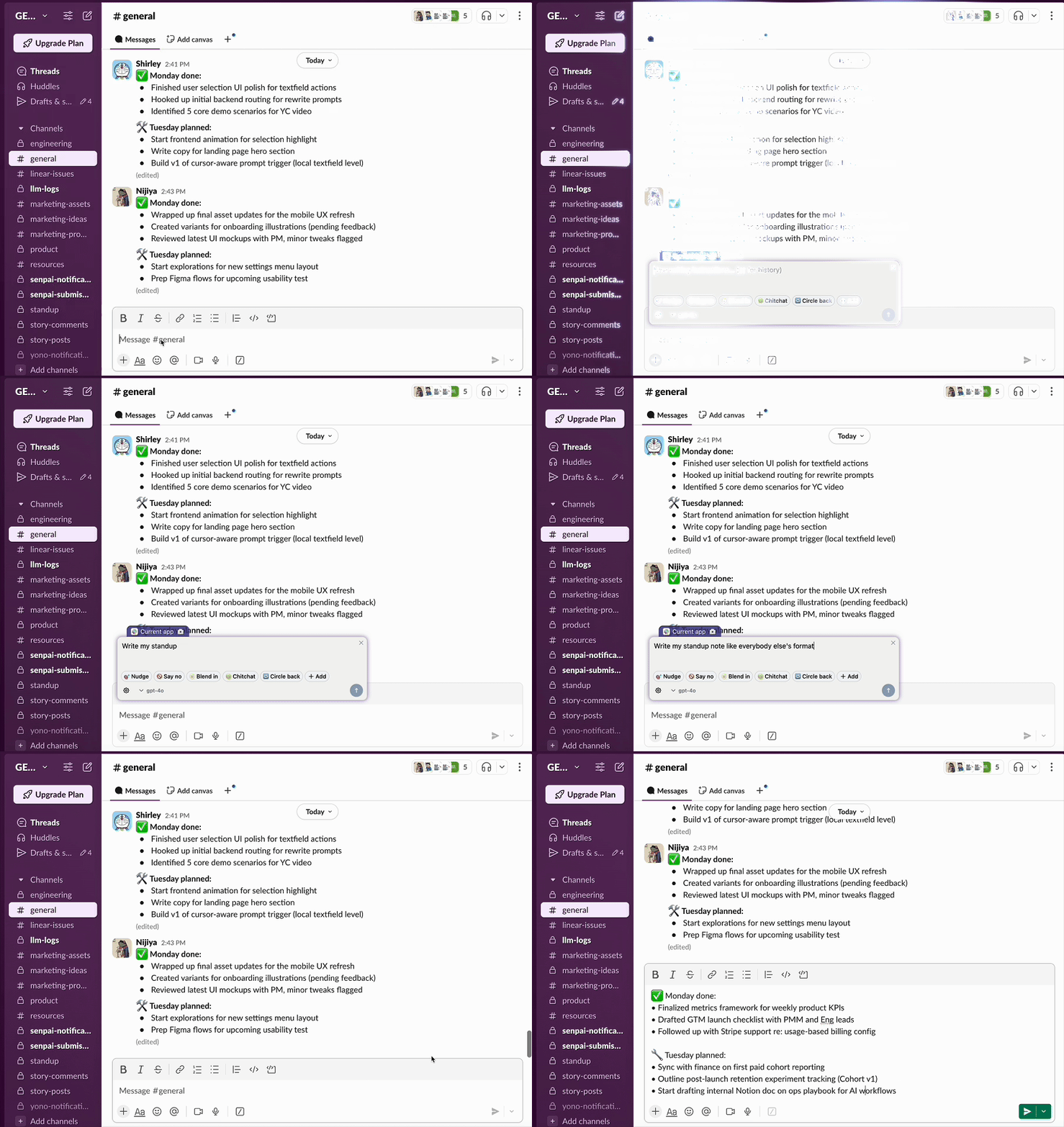
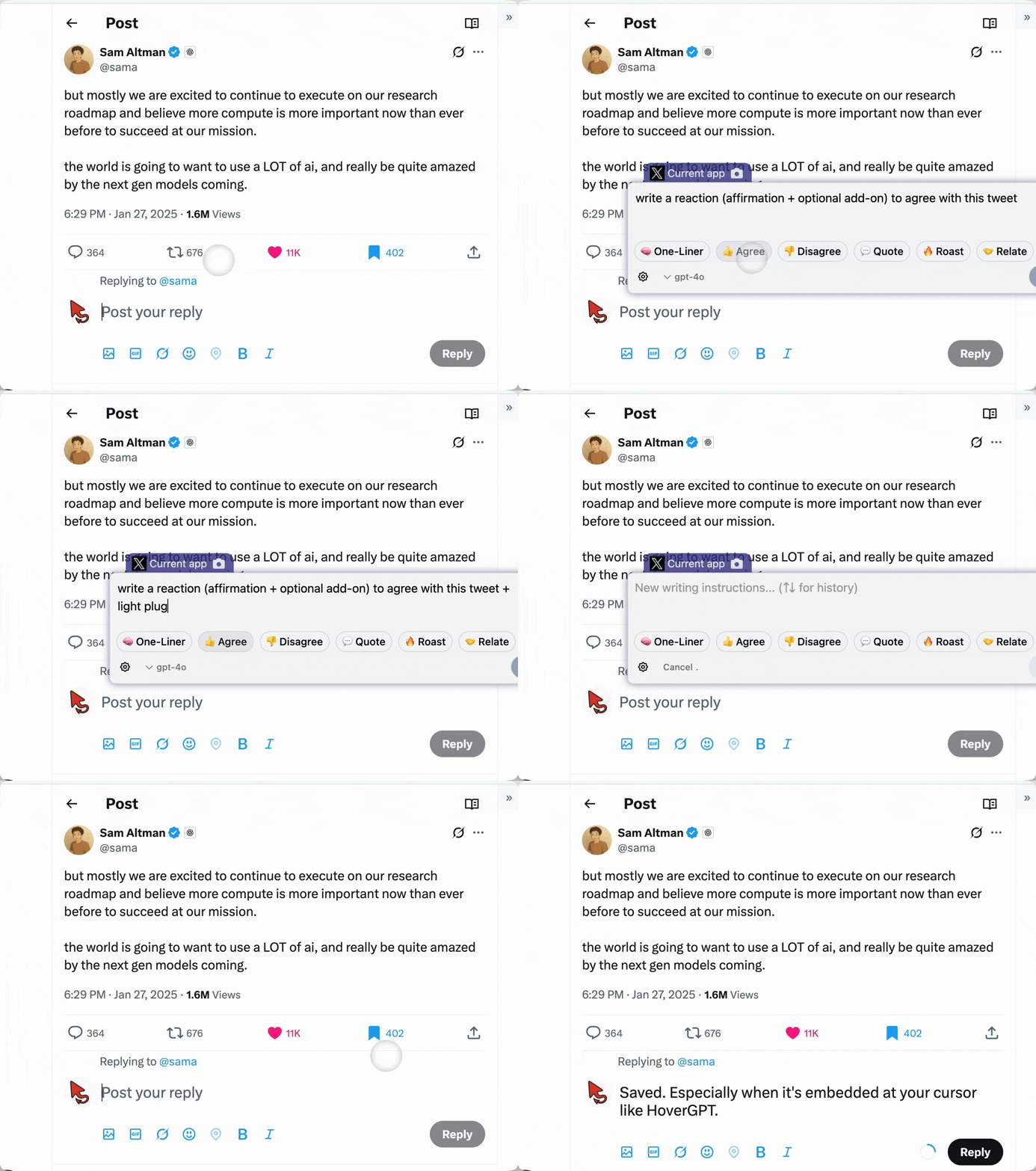
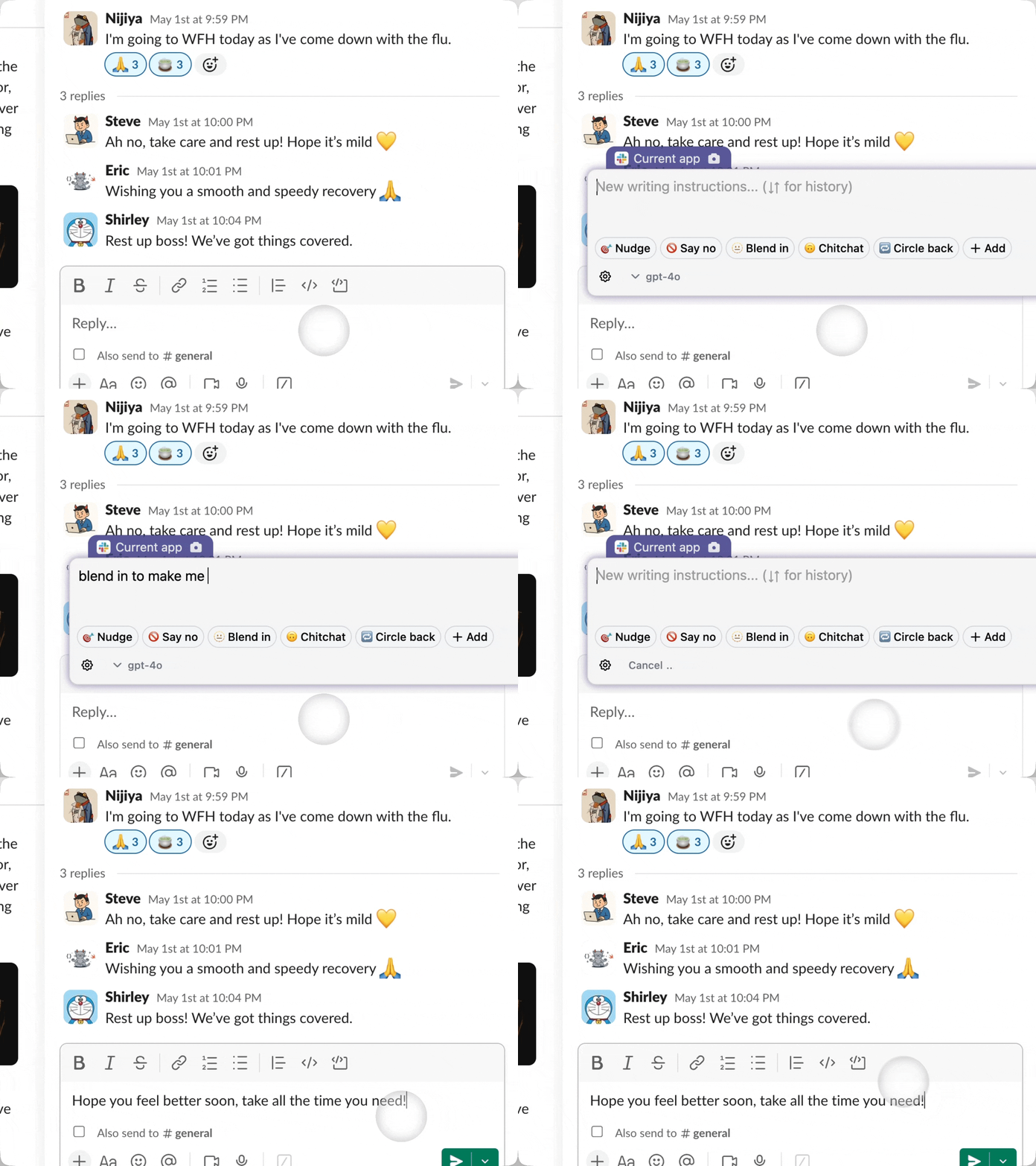
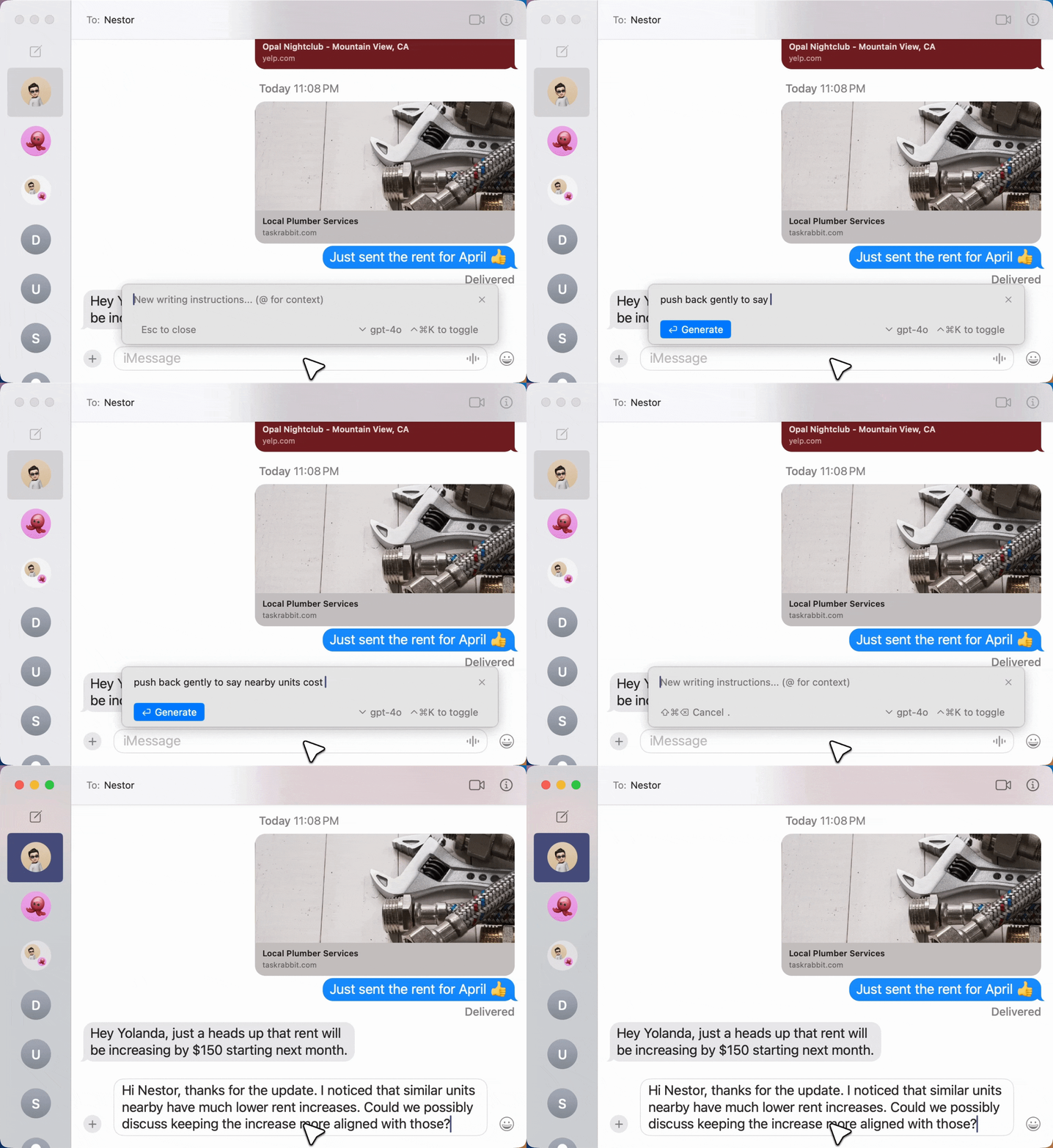
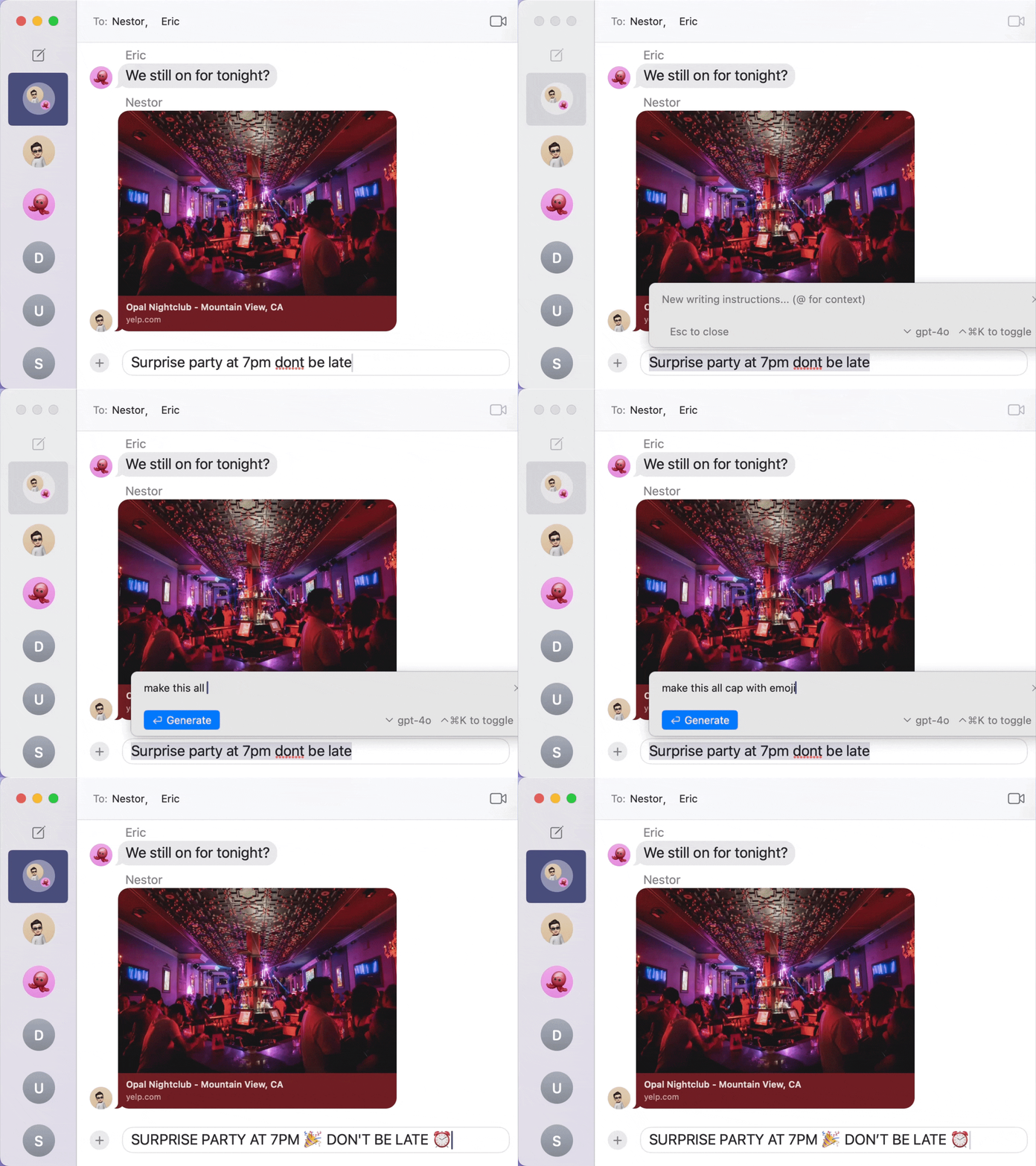
One universal shortcut summons AI that sees your screen and types inline.

  • Screen Context

    Sees what you're working on and knows where your cursor is

  • Inline Editing

    Writes, rewrites, or edits directly in any text field

  • Selection Aware

    Knows exactly what text you've selected

  • Works Everywhere

    Gmail, Slack, Chrome — anywhere on your Mac

  • Privacy First

    You can turn off screen capture anytime

Workflow demo

Works everywhere
you write

GitHub
Cursor
Canva
Figma
Outlook
Superhuman
Acrobat
OneNote
Teams
Zoom
OneDrive
Excel
PowerPoint
Obsidian
Telegram
iMessage
Bear
Instagram
Arc
Perplexity
Discord
LinkedIn
Xcode
Jira
Chrome
Safari
Google Drive
SharePoint
GitHub
Cursor
Canva
Figma
Outlook
Superhuman
Acrobat
OneNote
Teams
Zoom
OneDrive
Excel
PowerPoint
Obsidian
Telegram
iMessage
Bear
Instagram
Arc
Perplexity
Discord
LinkedIn
Xcode
Jira
Chrome
Safari
Google Drive
SharePoint
Notion
Messenger
Snapchat
VS Code
Replit
Todoist
WhatsApp
Claude
Linear
Signal
Gmail
Grammarly
Google Docs
Apple Notes
ChatGPT
Slack
Pinterest
TikTok
Raycast
Brave
Keynote
Google Keep
Evernote
X
Tinder
Bumble
Medium
Microsoft
OpenAI
Notion
Messenger
Snapchat
VS Code
Replit
Todoist
WhatsApp
Claude
Linear
Signal
Gmail
Grammarly
Google Docs
Apple Notes
ChatGPT
Slack
Pinterest
TikTok
Raycast
Brave
Keynote
Google Keep
Evernote
X
Tinder
Bumble
Medium
Microsoft
OpenAI

HoverGPT works across all apps you use on Mac. Press one shortcut, and AI writes inline — wherever your cursor is.

macOS

Pricing

Notion AI$10/mo
Microsoft AI$30/mo
Grammarly$15/mo
Quillbot$15/mo
Gmail AI$20/mo
Tweethunter AI$49/mo
Superhuman AI$40/mo

All that. Replaced for$16and one universal shortcut.

Security

Security is important
to you. Us too.

What happens on your screen stays on your screen.

How HoverGPT Uses Your Screen Data
When you call HoverGPT, it captures your screen context on your behalf, just like manually taking a screenshot and pasting it into ChatGPT. Except HoverGPT does it instantly.
You Decide What's Shared

Choose whether to include screen data in your request.

Toggle demonstration
No Storage or Middleman
When you call a model (like OpenAI), your data is sent directly to that provider for processing and not retained by HoverGPT.
Local-only Mode
Need full privacy? Enable Local-Only Mode to restrict HoverGPT to on-device models. No screenshots or data leave your Mac, ever.
Coming Soon
Bring Your Own Key
HoverGPT doesn't proxy your requests: it uses your own OpenAI, Anthropic, or other API keys directly.
Coming Soon
SOC 2 (Type 2)
HoverGPT's infrastructure is SOC 2 Type 2 certified, meaning independent auditors verify our security controls.